> ## Documentation Index
> Fetch the complete documentation index at: https://www.dynamic.xyz/docs/llms.txt
> Use this file to discover all available pages before exploring further.
# NFT/Token Gating
While this SDK is still supported, we recommend using newer [JavaScript SDK](/docs/javascript/reference/react-native-quickstart), which is optimized for React Native, but also comes with a host of other benefits.
For concepts, dashboard setup, and the two outcomes (block vs scope), see [Access Control](/docs/overview/access-control/overview) and [Gates](/docs/overview/access-control/gates). This page covers React Native–specific usage including scopes and UI.
Use checks to read scopes and adjust your UI. See scope examples below.
### Examples
**Block site for users without specific amount of tokens.**
Gate setup:
* User needs to have at least 1 SHIB to enter the site.
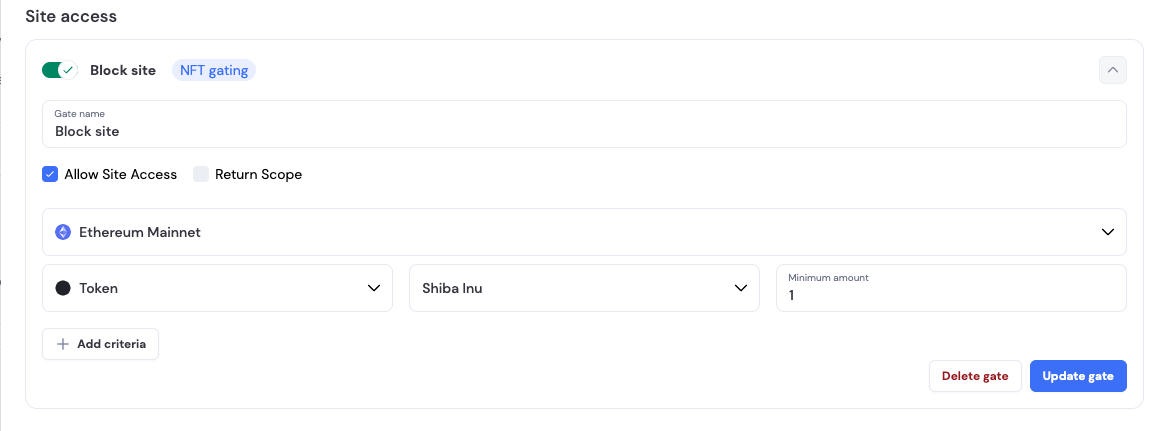 * User is blocked in the SDK UI:
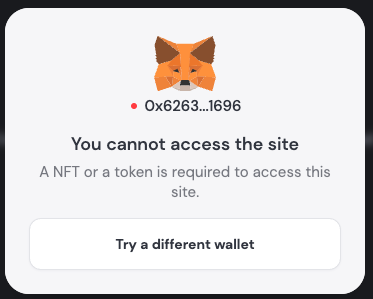 **Add scope for users' JWT when having specific NFT**
Gate setup:
* User needs to have specific NFT to have `admin` scope
**Add scope for users' JWT when having specific NFT**
Gate setup:
* User needs to have specific NFT to have `admin` scope
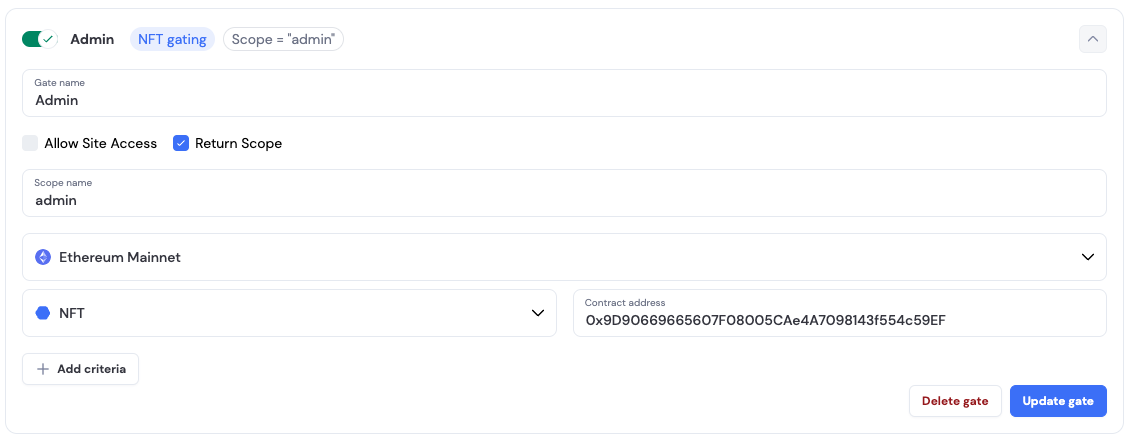 * User has an `admin` scope added to the `jwt`
```Text json theme={"system"}
{
...
"scope": "admin",
...
}
```
### Working with scopes
* User has an `admin` scope added to the `jwt`
```Text json theme={"system"}
{
...
"scope": "admin",
...
}
```
### Working with scopes