> ## Documentation Index
> Fetch the complete documentation index at: https://www.dynamic.xyz/docs/llms.txt
> Use this file to discover all available pages before exploring further.
# Collecting Extra Information (Information Capture)
While this SDK is still supported, we recommend using newer [JavaScript SDK](/docs/javascript/reference/react-native-quickstart), which is optimized for React Native, but also comes with a host of other benefits.
## General Setup
Enable the fields you want to collect in the Dynamic Dashboard. This configuration applies regardless of whether you use our UI or build your own.
* Go to the Login/User Profile settings in the dashboard
* Scroll to "Additional User Information"
* Choose which fields to collect and whether each is optional or required
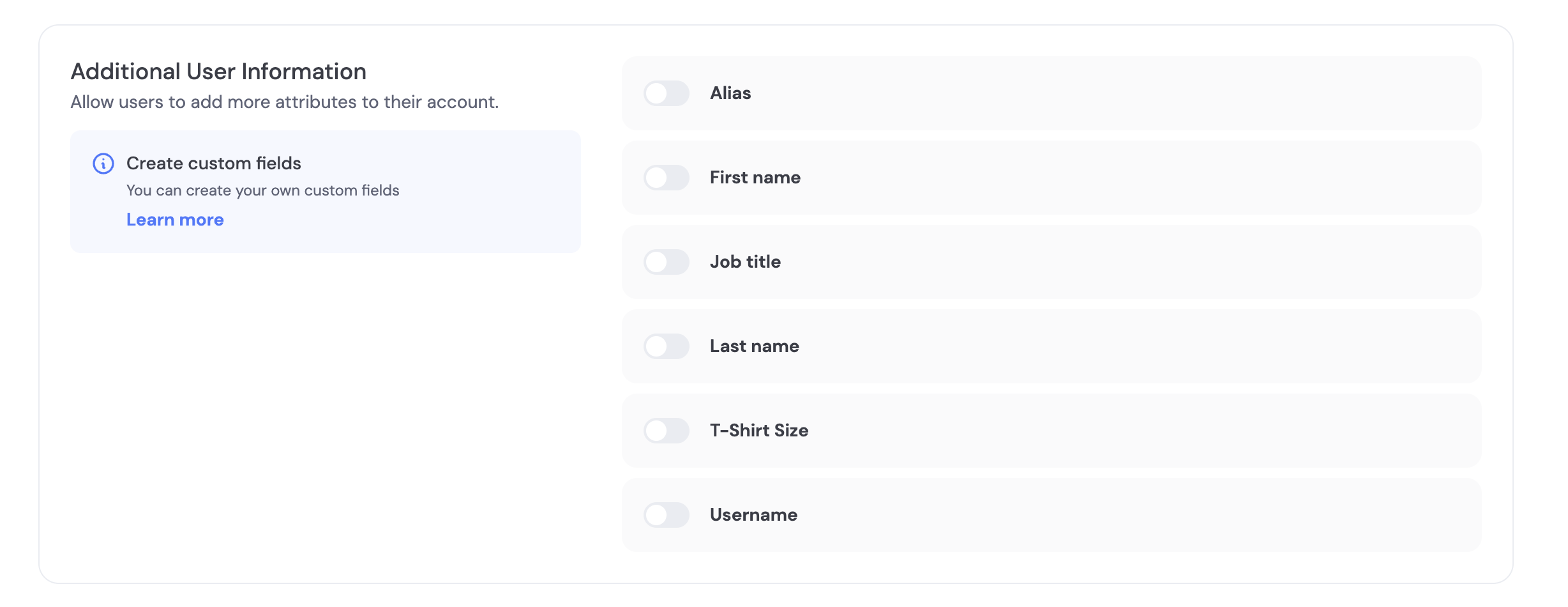 You can use pre-made fields (Alias, First Name, Last Name, Job Title, T-Shirt Size, Username) or create your own custom fields. See Custom Information Capture for details.
We have a few fields pre-made for you including Alias, First Name, Last Name, Job Title, T-Shirt Size, and Username.
As an example, the **Username** field is a string that is unique per project with these validations:
1. Letters A-Z, a-z, numbers 0-9, or symbols \$ ! # % ?
2. Length 5 to 20
3. Cannot contain consecutive symbols
The **T-shirt size** field is a dropdown with options (XS, S, M, L, XL, XXL).
You can specify additional custom fields and how you want to validate these fields by creating a new field in the dashboard’s Log in and User Profile section.
Coming soon
## Pre-signup (server-driven)
Create a user first and attach information, then let them sign up later to bind a verified credential.
* Create user
```bash theme={"system"}
curl -X POST https://app.dynamicauth.com/api/v0/environments/{environmentId}/users \
-H "Authorization: Bearer $DYNAMIC_API_KEY" \
-H "Content-Type: application/json" \
-d '{"email": "test@example.com", "username": "testuser"}'
```
* Update user when more data is available
```bash theme={"system"}
curl -X PUT https://app.dynamicauth.com/api/v0/environments/{environmentId}/users/USER_ID_HERE \
-H "Authorization: Bearer $DYNAMIC_API_KEY" \
-H "Content-Type: application/json" \
-d '{"firstName": "My", "lastName": "Name"}'
```
When the user signs up with the same identifier (e.g., email), the record will gain a verified credential and the captured info will appear in their profile.
## Post-signup prompts
* Required fields are enforced during onboarding.
* To collect optional fields later, trigger an update flow using your UI (see Tabs above). In React, `updateUserWithModal` provides a built-in UI.
## FAQ
* What happens to existing users if I change required fields?
* The next time a user authenticates, they’ll be asked to provide any newly-required fields so profiles stay up to date.
You can use pre-made fields (Alias, First Name, Last Name, Job Title, T-Shirt Size, Username) or create your own custom fields. See Custom Information Capture for details.
We have a few fields pre-made for you including Alias, First Name, Last Name, Job Title, T-Shirt Size, and Username.
As an example, the **Username** field is a string that is unique per project with these validations:
1. Letters A-Z, a-z, numbers 0-9, or symbols \$ ! # % ?
2. Length 5 to 20
3. Cannot contain consecutive symbols
The **T-shirt size** field is a dropdown with options (XS, S, M, L, XL, XXL).
You can specify additional custom fields and how you want to validate these fields by creating a new field in the dashboard’s Log in and User Profile section.
Coming soon
## Pre-signup (server-driven)
Create a user first and attach information, then let them sign up later to bind a verified credential.
* Create user
```bash theme={"system"}
curl -X POST https://app.dynamicauth.com/api/v0/environments/{environmentId}/users \
-H "Authorization: Bearer $DYNAMIC_API_KEY" \
-H "Content-Type: application/json" \
-d '{"email": "test@example.com", "username": "testuser"}'
```
* Update user when more data is available
```bash theme={"system"}
curl -X PUT https://app.dynamicauth.com/api/v0/environments/{environmentId}/users/USER_ID_HERE \
-H "Authorization: Bearer $DYNAMIC_API_KEY" \
-H "Content-Type: application/json" \
-d '{"firstName": "My", "lastName": "Name"}'
```
When the user signs up with the same identifier (e.g., email), the record will gain a verified credential and the captured info will appear in their profile.
## Post-signup prompts
* Required fields are enforced during onboarding.
* To collect optional fields later, trigger an update flow using your UI (see Tabs above). In React, `updateUserWithModal` provides a built-in UI.
## FAQ
* What happens to existing users if I change required fields?
* The next time a user authenticates, they’ll be asked to provide any newly-required fields so profiles stay up to date.