> ## Documentation Index
> Fetch the complete documentation index at: https://www.dynamic.xyz/docs/llms.txt
> Use this file to discover all available pages before exploring further.
# Buying USDC
This guide is currently React only.
## Enable Coinbase Onramp
To enable Coinbase Onramp, you need to first enable it in the Dynamic Dashboard.
1. Go to the [funding page in the Dynamic Dashboard](https://app.dynamic.xyz/dashboard/funding) and enable Coinbase Onramp
2. Configure the onramp to use USDC as the asset and set the default experience to buy ([onrampOptions](/react/money-and-funding/customizing-the-onramp-experience#onrampoptions))
You can customize onramp options by overriding the default options with custom configurations for USDC purchases:
```tsx React theme={"system"}
const onrampOptions = (defaultOnrampOptions) => {
// Detect if we have a coinbase onramp option available
const coinbaseOption = defaultOnrampOptions.find(option => option.id === "coinbaseOnramp");
if (coinbaseOption) {
// Use the coinbase onramp option as a base and add a new option with the USDC asset and buy experience
const newOption = {
...coinbaseOption,
id: "coinbaseUsdc",
displayName: "Buy USDC",
url: `${coinbaseOption.url}&defaultAsset=USDC&defaultExperience=buy`
};
return [...defaultOnrampOptions, newOption];
}
return defaultOnrampOptions;
};
```
Use the `DynamicContextProvider` with overrides to configure custom onramp options for your application:
```tsx React theme={"system"}
```
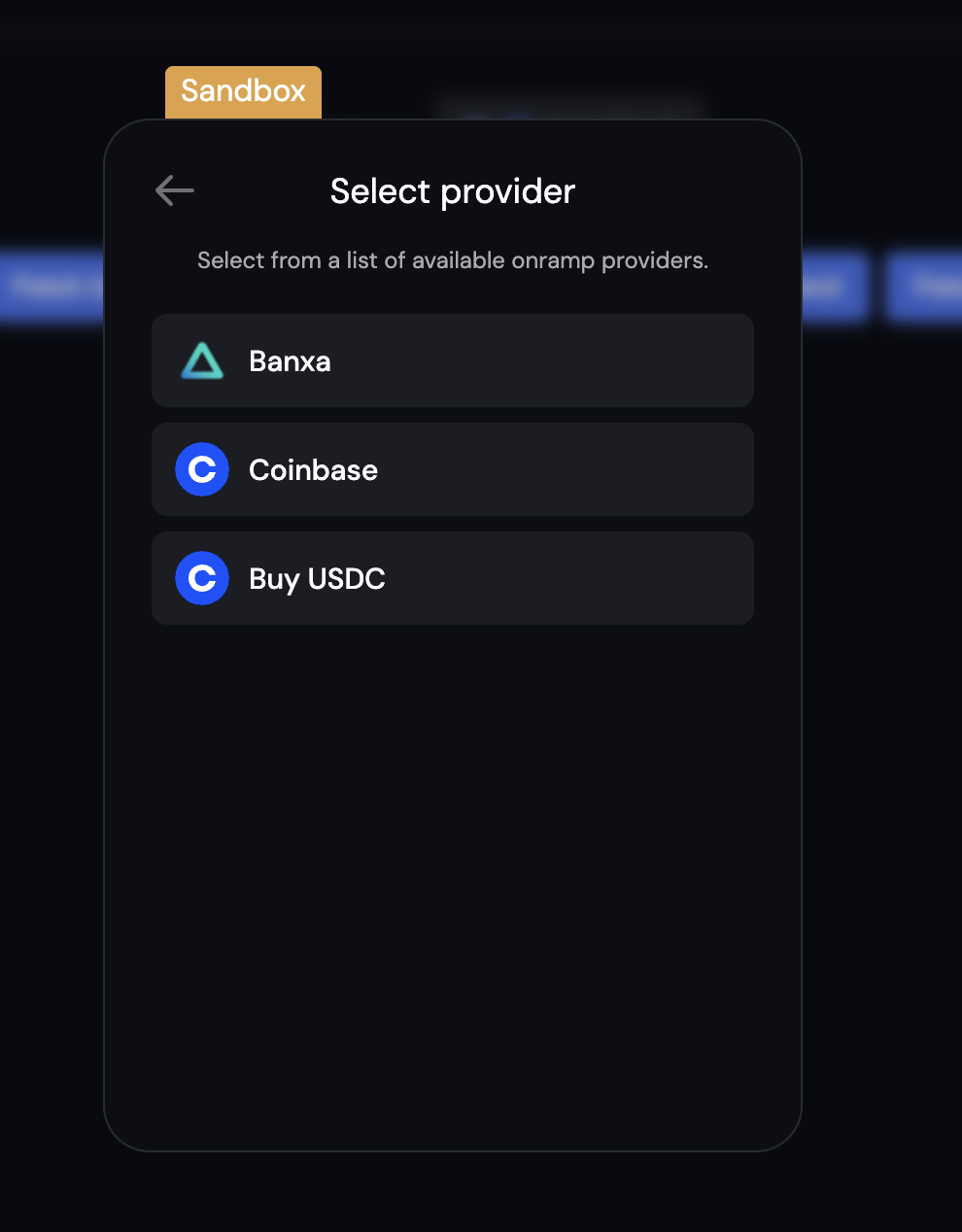
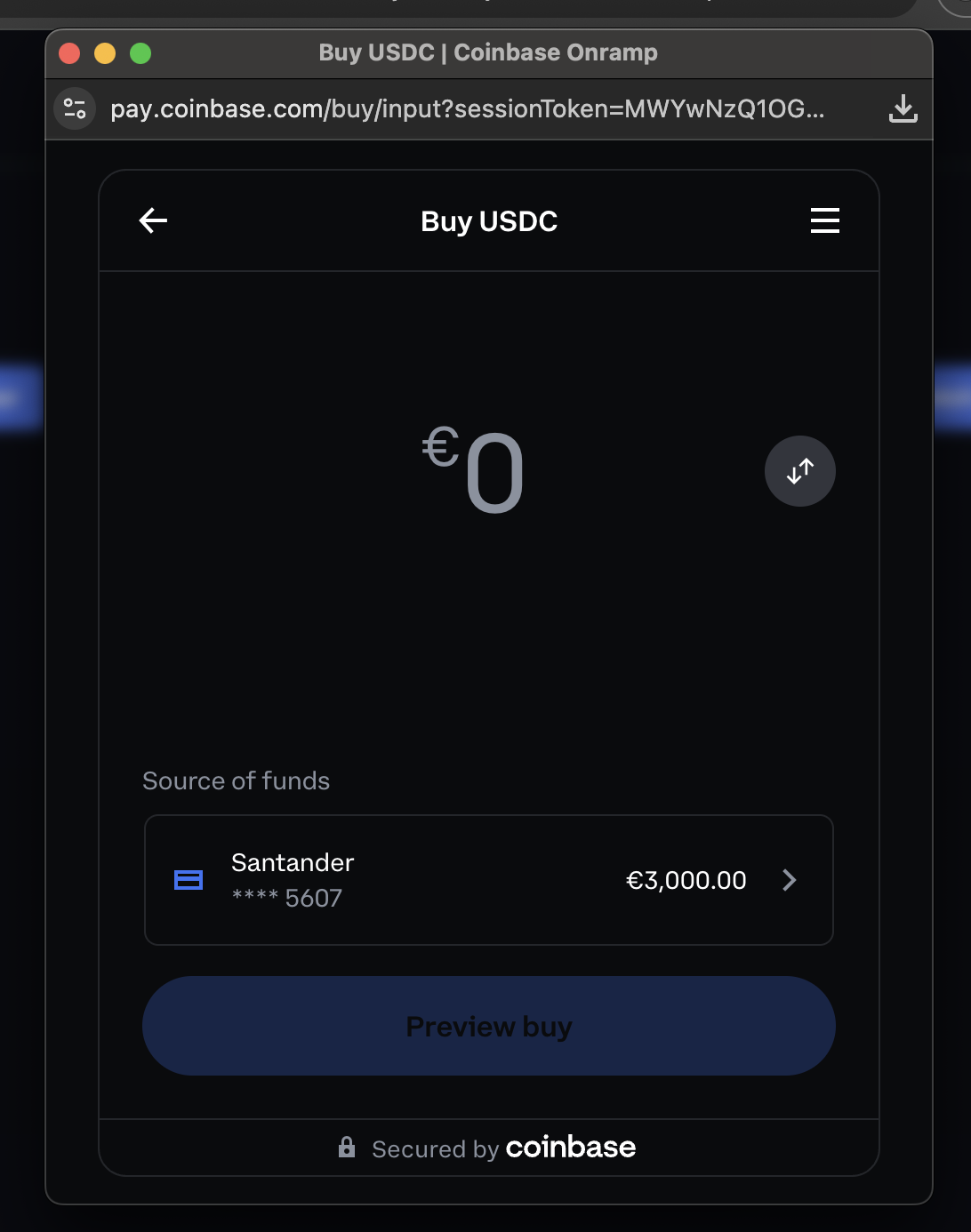
That's it! In the widget, when you hit deposit, you'll now see a Buy USDC option:
 ## Next Steps
You can customize the icon and other aspects of the onramp experience. Learn more about that [here](/react/money-and-funding/customizing-the-onramp-experience).
## Next Steps
You can customize the icon and other aspects of the onramp experience. Learn more about that [here](/react/money-and-funding/customizing-the-onramp-experience).