

Prerequisites
- Python 3.11+
- Dynamic Account — Set up your project and get credentials from the Dynamic Developer Console
Install the SDK
Get Your Credentials
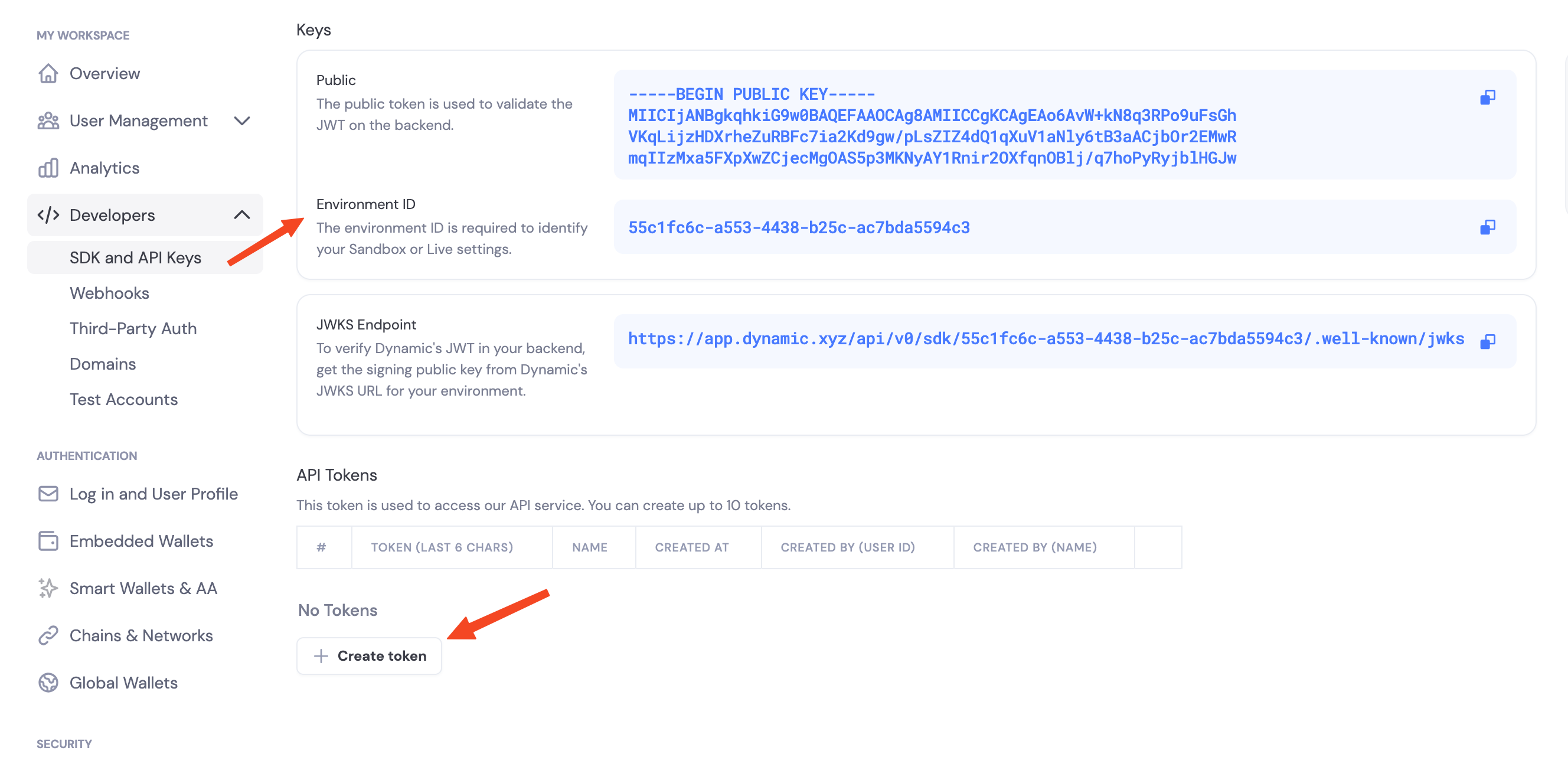
Navigate to the Dynamic Developer Console and:- Copy your
Environment ID - Create a new API token
Enable Features in Dashboard
Before you can use wallet features, you need to enable them in your Dynamic developer console:- Go to your Dynamic Developer Console
- Select your project
- Go to Wallets and enable embedded wallets
- Go to Chains and enable the networks you want to support (Ethereum, Solana, etc.)
Environment Variables
authenticate_api_token.
Hello, Wallet
SDK Capabilities
- Embedded wallets — Create and use MPC wallets from your server
- Chains — Ethereum (EVM) and Solana (SVM)
- Async/await — Fully async Python API with
asyncio - Key backup — Password-encrypted key share backup and recovery
Threshold Signature Schemes
When you configure signing, you choose how key shares combine to authorize a signature:- TWO_OF_TWO — Default. Requires your server and Dynamic’s infrastructure to sign together. Most thoroughly tested.
- TWO_OF_THREE — Advanced. Requires two of three shares to sign. Tolerates one party being offline.
Next Steps
Ethereum (EVM)
- Create EVM Wallets
- Sign EVM Messages
- Sign EVM Transactions
- Sign Typed Data (EIP-712)
- Delegated Access