

Recommended: JavaScript SDK for React Native
While this SDK is still supported, we recommend using newer JavaScript SDK, which is optimized for React Native, but also comes with a host of other benefits.
Dashboard Configuration
Toggle on “Phone Number” in the Log in & User Profile section of the developer console.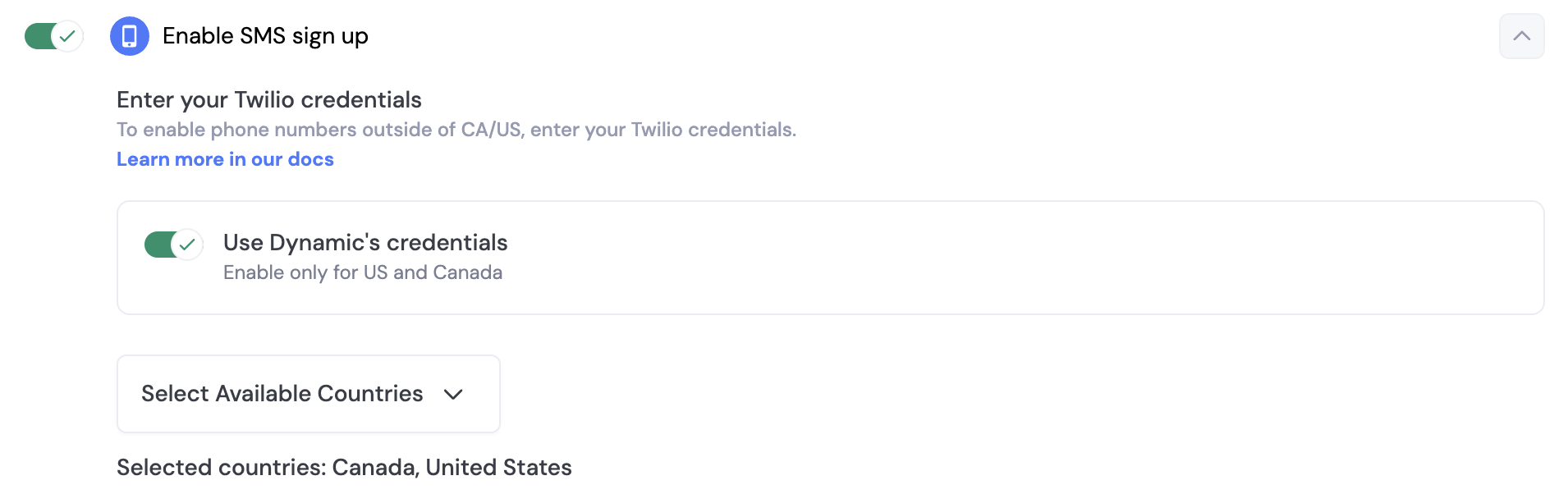
SMS & Embedded Wallets
When you enable SMS sign-up, you can also enable embedded wallets for your users. This means that when a user signs up with their phone number, they will also receive a wallet that they can use to interact with your application. In order to ensure your end users are adequately protected against attacks like sim swaps, we highly encourage you to enable account MFA (TOTP) via Google Authenticator. React Native provides SMS authentication through the dynamic client’s auth methods. You can send OTP codes and verify them programmatically.React Native