

Recommended: JavaScript SDK for React Native
While this SDK is still supported, we recommend using newer JavaScript SDK, which is optimized for React Native, but also comes with a host of other benefits.
General Setup
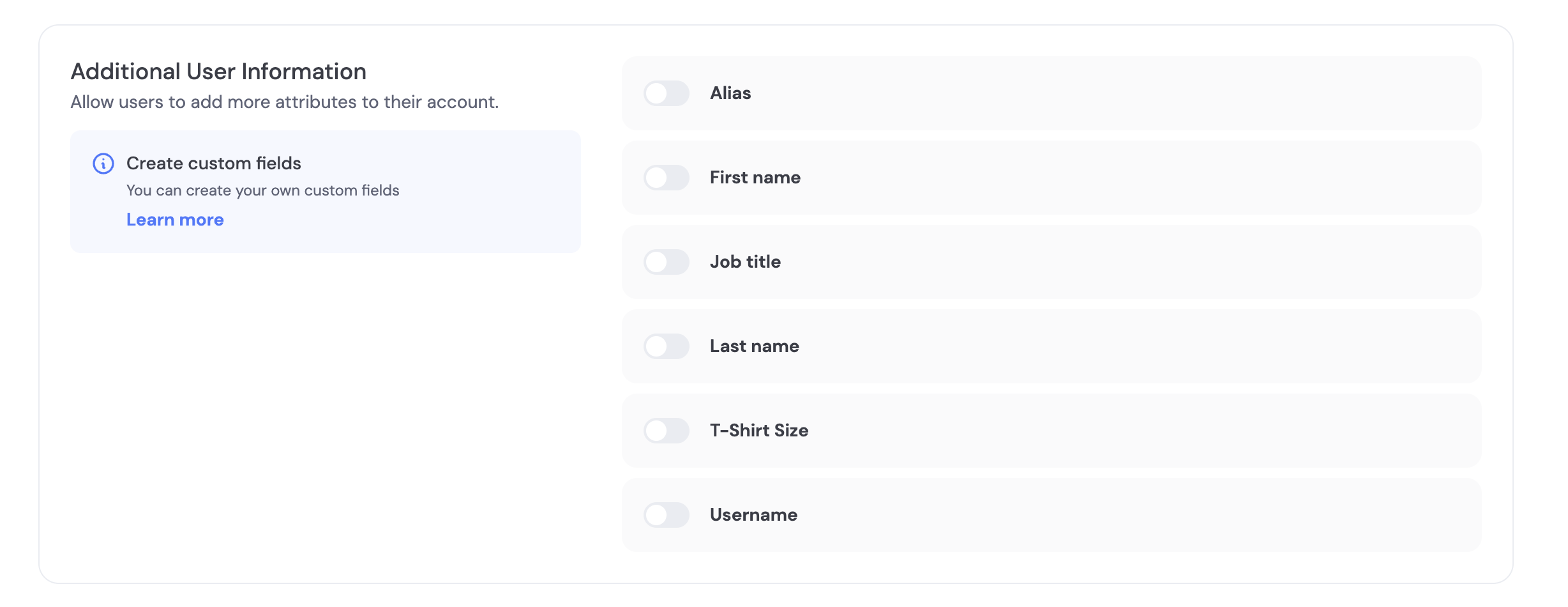
Enable the fields you want to collect in the Dynamic Developer Console. This configuration applies regardless of whether you use our UI or build your own.- Go to the Login/User Profile settings in the developer console
- Scroll to “Additional User Information”
- Choose which fields to collect and whether each is optional or required
Pre-made fields
Pre-made fields
We have a few fields pre-made for you including Alias, First Name, Last Name, Job Title, T-Shirt Size, and Username.As an example, the Username field is a string that is unique per project with these validations:
- Letters A-Z, a-z, numbers 0-9, or symbols $ ! # % ?
- Length 5 to 20
- Cannot contain consecutive symbols
Pre-signup (server-driven)
Create a user first and attach information, then let them sign up later to bind a verified credential.- Create user
- Update user when more data is available
Post-signup prompts
- Required fields are enforced during onboarding.
- To collect optional fields later, trigger an update flow using your UI (see Tabs above). In React,
updateUserWithModalprovides a built-in UI.
FAQ
- What happens to existing users if I change required fields?
- The next time a user authenticates, they’ll be asked to provide any newly-required fields so profiles stay up to date.