

Prerequisites
- Rust 1.90+ — install via rustup
- Dynamic Account — set up your project and get credentials from the Dynamic Developer Console
- C toolchain —
cc+ linker. On Debian/Ubuntu:sudo apt install build-essential. macOS Xcode CLT is sufficient.
Install
Add the crates you need to yourCargo.toml:
cargo build resolves everything from crates.io.
Get Your Credentials
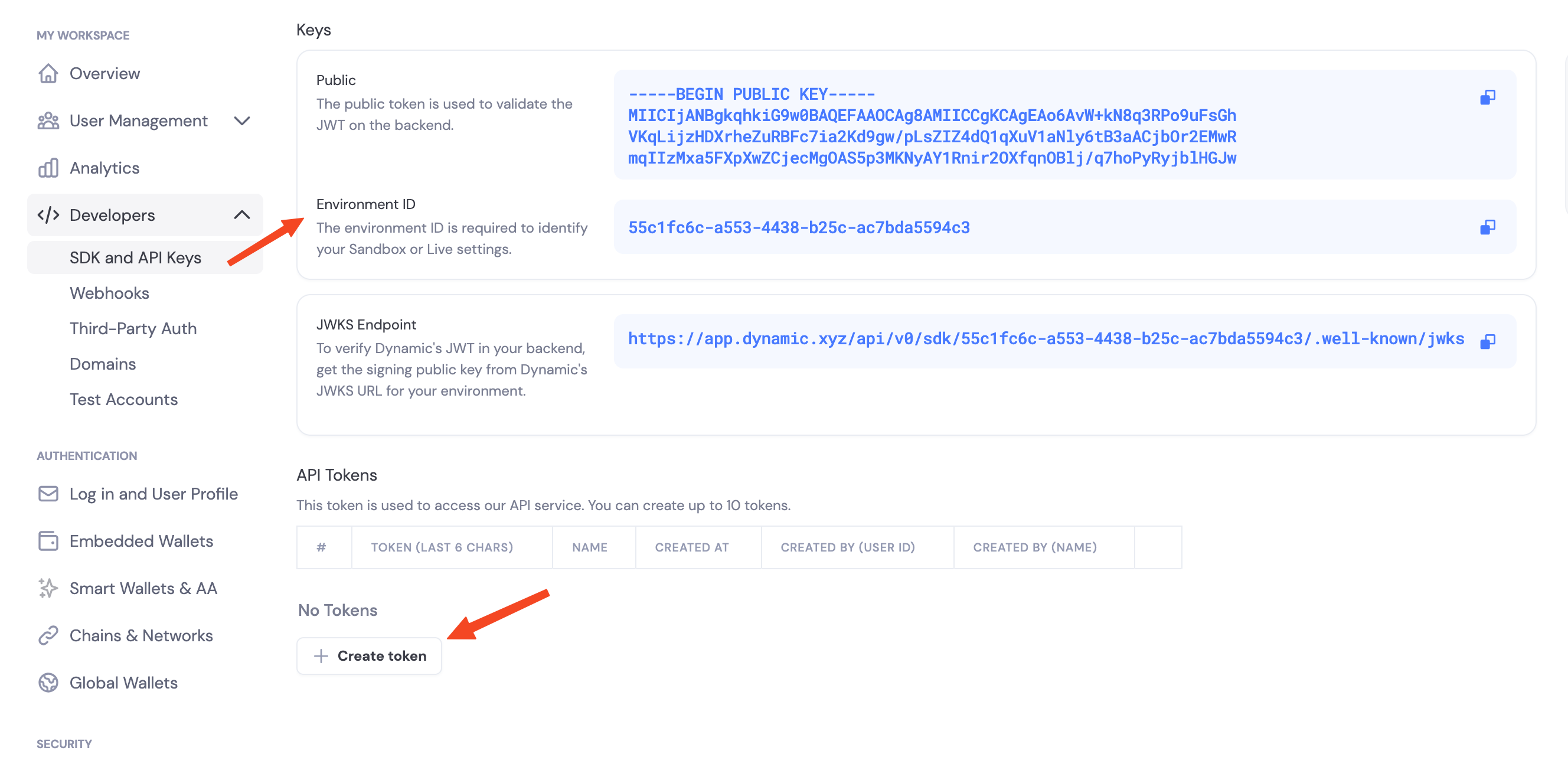
Navigate to the Dynamic Developer Console and:- Copy your
Environment ID - Create a new API token
Enable Features in Dashboard
Before you can use wallet features, enable them in your Dynamic developer console:- Go to your Dynamic Developer Console
- Select your project
- Go to Wallets and enable embedded wallets
- Go to Chains and enable the networks you want to support (Ethereum, Solana, etc.)
Environment Variables
Initialize the Client
DynamicWalletClient is the base server client. For chain-specific operations (create wallet, sign), wrap it in DynamicEvmWalletClient or DynamicSvmWalletClient — both are thin wrappers that borrow the base client:
Stateless contract
The Rust SDK is stateless — it does not hold wallet state between calls.create_wallet_account() returns two pieces of state you must persist:
WalletProperties— non-sensitive identity + backup-pointer info. Cache it in Redis / Postgres. Pass it to every subsequent sign / export operation.Vec<ServerKeyShare>— sensitive MPC key material. Store in a secrets vault (HSM, KMS-wrapped column, Secret Manager).
The Rust type is called
WalletProperties. It’s the same concept as the Node SDK’s WalletMetadata — same fields (wallet_id, account_address, chain_name, derivation_path, external_server_key_shares_backup_info).Key share backup: back_up_to_dynamic
Every create_wallet_account call accepts a back_up_to_dynamic: bool flag. You always vault the returned Vec<ServerKeyShare> yourself — the chain clients in 0.0.4 require it on every sign / export call. The flag only controls whether Dynamic also keeps an encrypted copy as a disaster-recovery backup.
true(recommended) — the SDK encrypts your share withpassword(AES-256-GCM) and uploads the encrypted blob to Dynamic. If you ever lose your vaulted copy, recover it viarun_recover_key_shares+ the same password.false— no copy on Dynamic. Losing the share means losing the wallet.
password is required when back_up_to_dynamic: true — the SDK rejects the call with Error::InvalidArgument if you pass None. It never leaves your server; it’s used locally to wrap (and later unwrap) the share. When back_up_to_dynamic: false, password is optional.Threshold signature schemes
When you configure signing, you choose how key shares combine to authorize a signature:TWO_OF_TWO— Requires your server and Dynamic’s infrastructure to sign together.TWO_OF_THREE— Requires two of three shares to sign.
Pointing at preprod or sandbox
The SDK defaults to production. To target a different environment, passbase_api_url(...) on DynamicWalletClientOpts:
SDK capabilities (v0.0.4)
- Embedded wallets: Create and use wallets from your server (EVM, SVM).
- Message signing: EIP-191 messages on EVM, raw-bytes Ed25519 messages on SVM.
- Typed data: EIP-712 typed data signing on EVM.
- Transactions: Sign EVM transactions and Solana transaction message bytes.
- Key export: Export raw private keys for migration / disaster recovery.
- Delegated access: Per-wallet API key flow mirroring
@dynamic-labs-wallet/node, including the webhook decrypt helper.
Reference Demo
A runnable end-to-end demo lives atdynamic-labs/dynamic-waas-rust-demo — full lifecycle (auth → create → sign → recover → export) for both EVM and SVM, consuming the published crates. Good shape reference for what a customer integration looks like.
Next Steps
EVM Support
- Create EVM Wallets — Create Ethereum wallets
- Sign EVM Messages — Sign Ethereum messages (EIP-191)
- Export EVM Private Key
- Delegated Access — Per-wallet API key signing